Select the target
surface where circular shape is present and edges
from circular shape (closed edges domain) .
Number of Layers
Specify
the number of layers to be offset (minimum value
1).
Total Layer Height
Specifies
the height of the total number of boundary layers.
.
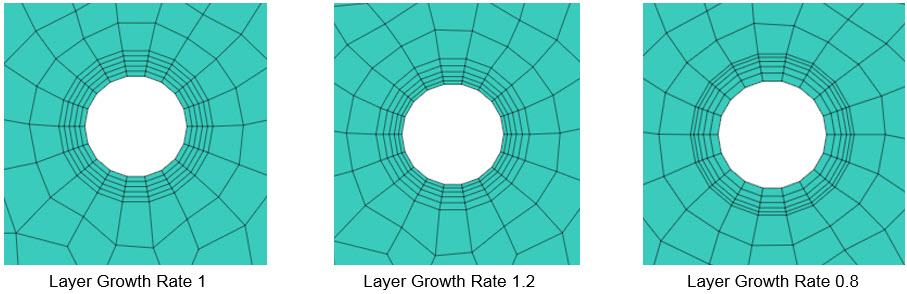
Layer Growth Rate
Proportionally
adjusts the height value as the layer advances
when
the
number of boundary layers is 2 or more.
Ex)
When
1 is input, it is represented by the same height.
If
it is larger than 1, it becomes larger.
If it is
smaller than
1
a
layer
is created with increasingly smaller heights.
|


